Marketing & Print
No Printer at Home? How to Get Something Printed in Magnolia
How to send a file to our counter from your phone or laptop, what prints the same day, what goes to the trade printer, and the two label questions people ask most.
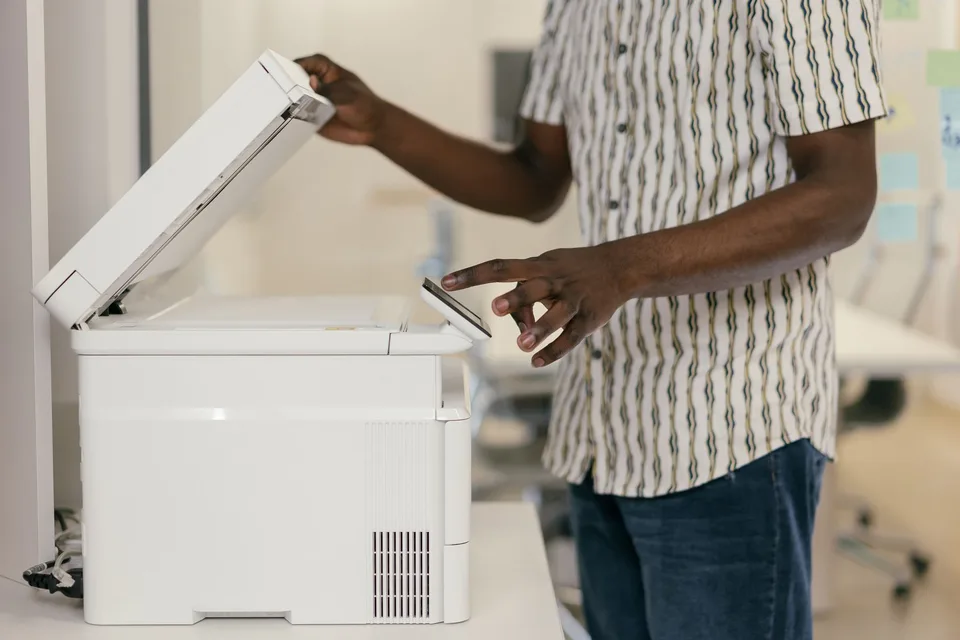
Short answer: email the file to us, put it on a USB stick, or open it from your cloud storage on your phone at the counter. Most everyday documents print while you wait. Anything that needs heavy stock or a big sheet goes to our trade printer and comes back in a few business days.
Home printers have quietly become optional. Plenty of households around Magnolia gave theirs up after the third dried-out ink cartridge, and then September arrives with a school form, a return label, a lease, and a banner for the fall festival, all in the same week. This is how each of those gets handled at 9311 FM 1488.
Getting the file to us
There are three ways, and none of them require an app.
Email it. Send the file to admin@theshippingplacetx.com from your phone or computer. Put your name in the subject line so we can find it when you walk in.
Bring it on a USB drive. Plug-and-print. If the drive has forty files on it, tell us which one.
Open it from the cloud. Google Drive, Dropbox, whichever you use. Pull it up on your phone at the counter and we take it from there.
One thing that saves a round trip: if you can, save the document as a PDF before sending it. A PDF locks the fonts and layout so what prints matches what you saw on your screen. Word files and photos print fine too. A PDF just removes the guesswork.
Not sure the file is set up right? Say so. We check it before anything prints, which is cheaper than finding out after.
What prints the same day
In-store printing is the walk-in side of the business, and same-day turnaround covers most of it:
- Color and black-and-white copies, single pages to bulk runs, in letter, legal and tabloid sizes.
- Document printing from USB, email or cloud: PDFs, Word documents, spreadsheets, boarding passes, permits, the lease your landlord sent at 9 p.m.
- Photo prints in standard and custom sizes.
- Scanning to email, USB or cloud storage, which is the other half of the paperwork problem.
- Laminating, for the thing that is going to live on a refrigerator door or a job site.
- Fax, sending and receiving. Somebody’s title company still wants one, and we are happy to be the place that sends it.
Bring a hard copy of anything you need scanned and the file for anything you need printed. Not sure which side of that line you are on? Bring both.
What goes to the trade printer
Some jobs need a press, or a sheet wider than a desktop machine can hold. For those we order through local print partners, which is how a small shop gets you professional-grade work at trade pricing. The trade-off is time: these are ready in a few business days rather than the same afternoon.
That list covers vinyl banners and yard signs, posters in any size (glossy, matte, or mounted on foam board), business cards with the premium finishes, flyers and tri-fold brochures, postcards, stickers and product labels, letterhead and envelopes, invitations on heavy stock, and restaurant menus and rack cards.
If there is a booth or a fundraiser on the fall calendar, the banner and the handouts should be ordered the week before, not the morning of. A few business days means exactly that.
For a business that wants to reach every mailbox on a route rather than hand out flyers, the mailer itself is one of those trade-printed pieces, and the postage side is its own program. We covered it in EDDM in Montgomery County.
The two label questions
Half the printing questions we get are really shipping questions, so here are the two that come up most.
“I have a USPS QR code and no printer.” Bring the code on your phone. We scan it and print the label on the spot for a $2 print fee, and the package can go straight onto the USPS pickup from our counter. This is the code you get from marketplaces and clothing sites that hand you a QR image instead of a label.
“I have an Amazon return.” Most Amazon returns come with a label you can print, and some come with a QR code that only a specific drop-off partner can scan. Which one you have decides whether we can take it, and the details are in Amazon returns done right. If your return offers a “print label” option, that is the one to pick before you drive over.
Prepaid labels from any carrier, already printed, can be dropped with us at no charge. The only ask is that the label is on the box and the box is taped shut.
What it costs
It depends on the paper and the quantity, which is why the trade-printed pieces are quoted per job. Call 936-444-9711 with what you need and we will give you a number before you commit to anything.
Before you come in
Three things make a printing visit take two minutes instead of ten:
- Send the file ahead if you can, with your name in the subject line.
- Know the size and count. Letter or legal, single or double sided, one copy or thirty.
- Bring your ID if the document is going to be notarized afterward. We do that at the same counter, and what to bring for the notary is its own short read.
The Shipping Place is at 9311 FM 1488 Road, Suite 30, in Magnolia, open Monday through Friday 9 to 6 and Saturday 10 to 4. Walk in with the file, or email it first and walk in with nothing.
Topics
- printing
- copies
- document printing
- shipping labels
- Magnolia TX
- small business
Stop in or give us a call
9311 FM 1488 RD, Suite 30, Magnolia, TX 77354 · Mon–Fri 9–6 · Sat 10–4